
3.0 KiB
NotePad
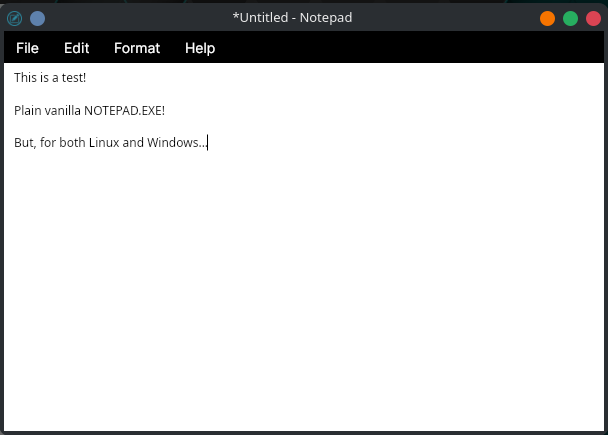
A simple cross-platform text editor built with Avalonia UI and .NET 8.
Installation
Linux
Download the latest release from the releases page.
Option 1: AppImage (Recommended)
The AppImage is a portable, single-file executable that requires no installation.
# Download the AppImage
wget https://repos.gmgauthier.com/gmgauthier/notepad/releases/download/v0.1.3/NotePad-v0.1.3-x86_64.AppImage

# Make it executable
chmod +x NotePad-v0.1.3-x86_64.AppImage

# Run it
./NotePad-v0.1.3-x86_64.AppImage
Option 2: System Installation (Tarball)
For a traditional system-wide installation:
# Download and extract
wget https://repos.gmgauthier.com/gmgauthier/notepad/releases/download/v0.1.3/notepad-v0.1.3-linux-x64.tar.gz
tar -xzf notepad-v0.1.3-linux-x64.tar.gz
cd notepad

# Install (requires sudo)
sudo ./install.sh
This installs NotePad to /opt/notepad and creates:
- Command-line shortcut:
notepad - Desktop menu entry
To uninstall:
sudo /opt/notepad/uninstall.sh
Windows
Download the latest release from the releases page.
# Download the zip file
# Extract notepad-v0.1.3-win-x64.zip

# Run NotePad.exe from the extracted folder
No installation required - just extract and run!
Building from Source
Prerequisites
- .NET 8 SDK
- Python 3.12+
- (Linux only)
appimagetoolfor AppImage builds
Build Commands
cd NotePad

# Build for Linux only
python3 publish.py linux

# Build for Windows only
python3 publish.py windows

# Build for both platforms
python3 publish.py both

# Linux-specific package options
python3 publish.py linux appimage  # AppImage only
python3 publish.py linux tarball   # Tarball only
python3 publish.py linux both      # Both packages
Build outputs are located in ../publish/:
- Linux AppImage:
publish/appimage/ - Linux Tarball:
publish/tarball/ - Windows:
publish/win-x64/
Development
Project Structure
NotePad/
├── NotePad/              # Main application
│   ├── App.axaml         # Application XAML
│   ├── MainWindow.axaml  # Main window UI
│   ├── Program.cs        # Entry point
│   └── publish.py        # Build script
├── .gitea/
│   └── workflows/
│       └── release.yaml  # CI/CD workflow
└── README.md
Running in Development
cd NotePad/NotePad
dotnet run
License
This is free and unencumbered software released into the public domain.
Anyone is free to copy, modify, publish, use, compile, sell, or distribute this software, either in source code form or as a compiled binary, for any purpose, commercial or non-commercial, and by any means.
For more information, please refer to https://unlicense.org
Author
Greg Gauthier